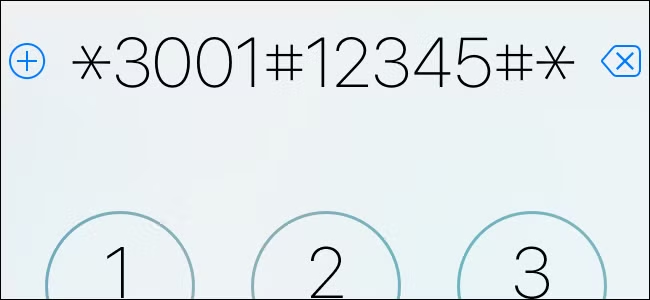

iPhone users can access a more precise view of their network signal using a little-known built-in feature called Field Test Mode.
By dialing 3001#12345#, users can open a diagnostic interface that displays signal strength in decibels (dBm) instead of the standard signal bars, offering a more accurate measure of network performance.
Unlike the basic bar system, which provides only a rough estimate, dBm values give detailed insight into connection quality—where values closer to -50 dBm indicate a strong signal, and those near -120 dBm reflect weaker reception.
The feature is primarily designed for engineers and advanced users but can be useful for anyone trying to troubleshoot connectivity issues or compare network performance across locations.
Experts note that while the tool provides deeper technical data, users should interpret the readings carefully, as multiple factors—including network congestion and device hardware—can affect signal strength.
The hidden mode underscores how smartphones continue to include advanced diagnostic tools beneath their user-friendly interfaces, offering deeper control for those who know where to look.